Subscription tracker for businesses of 1 to 50 people
No renewal catches you off guard.Not yours, not your team's.
Software, insurance, domains, leases and memberships in a single list, each with an owner who gets an email before the card is charged. Start on your own and bring the team in when you're ready.
14-day Team trial. No card needed.
Find what's on autopilot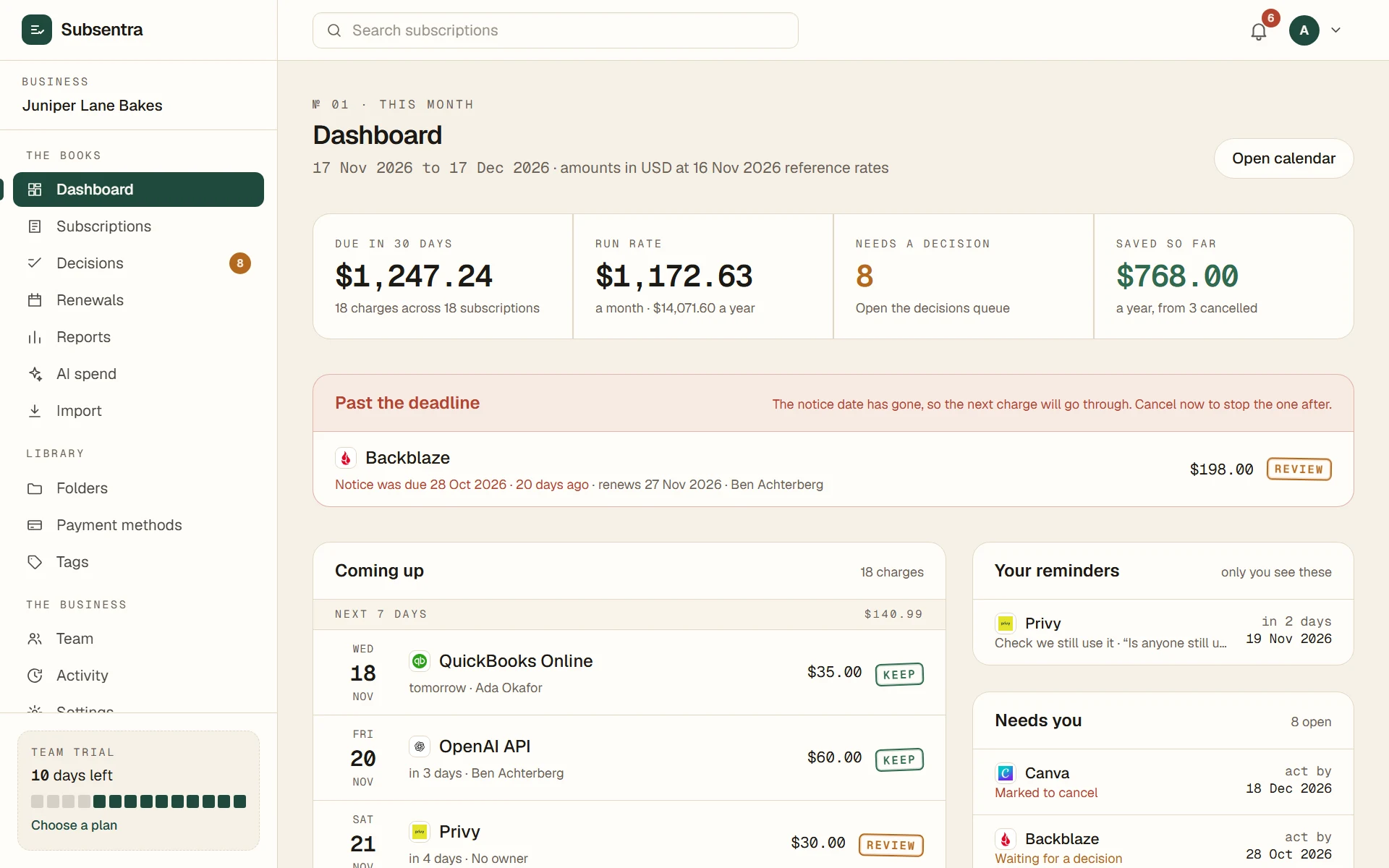
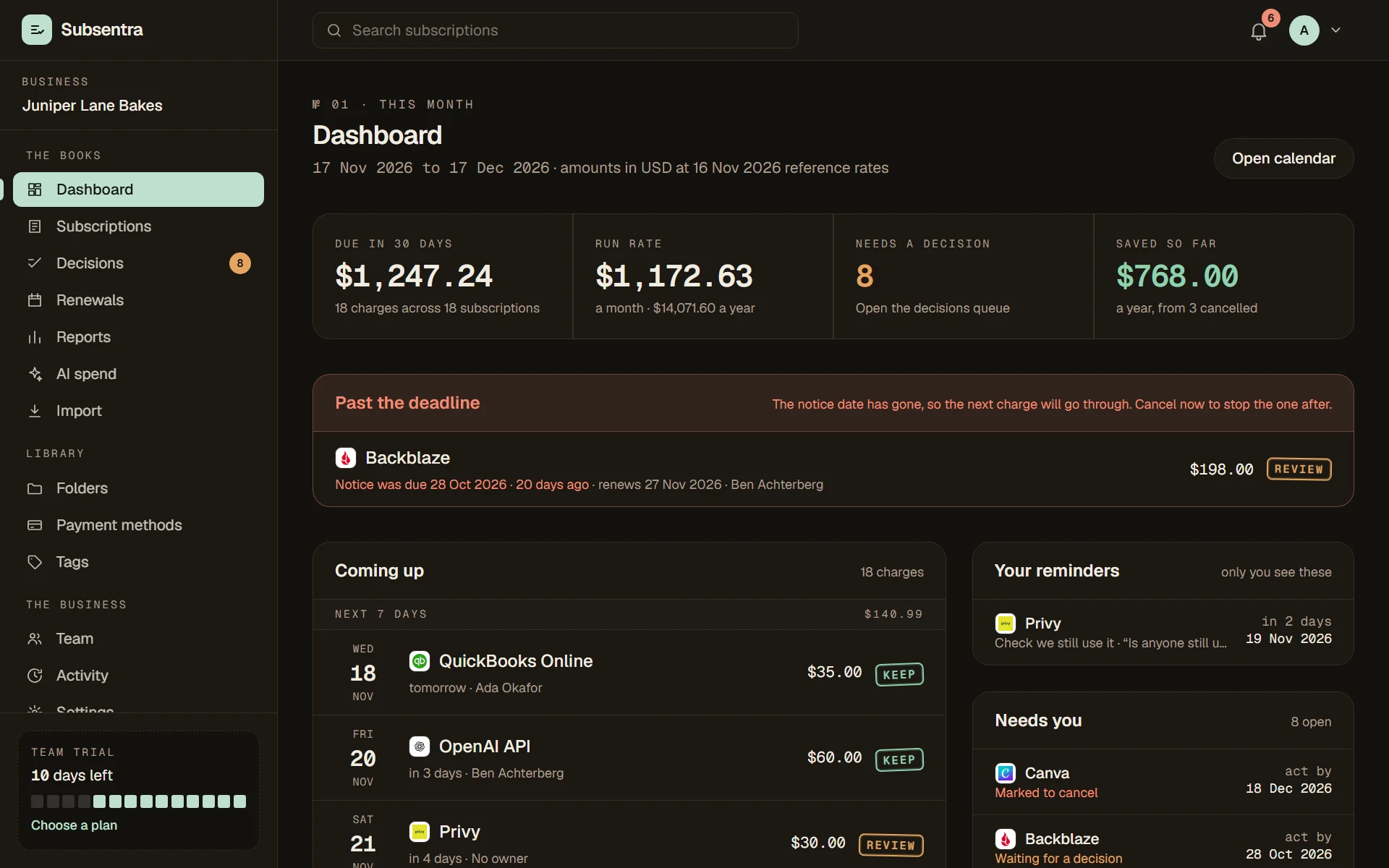
- 07:00Reminder sentQuickBooks Online renews tomorrow · $35.00
- 07:00Reminder sentMailchimp: cancel by 1 Dec to avoid the next charge
- 09:14Stamped CANCELCanva · saves €110.00 a year
- 10:02Renewal loggedShieldwell Insurance · $1,140.00 a year · notice 30 days
- 11:30Statement checked2 payments found that nobody listed
- 12:45Owner assignedJudge.me Reviews → Ben
- 15:20Stamped REVIEWFormdeck Pro · used by 1 person
- 16:05Converted€119.00 → ≈ $138.18 at today's reference rate
№ 01The problem
Subscriptions don't announce themselves. They just renew.
List a few things your business pays for. Mark which have an owner and which are still used. See how much is renewing on autopilot.
Runs in your browser.
Nothing you type is sent anywhere.
Your subscriptions · example rows, edit freely
- $
- $
- $
- $
- $
On autopilot
$587
a year renews with nobody owning it, or nobody sure it's used.
44% of $1,343 a year
- No owner
- $468
- Not sure / not used
- $587
In Subsentra each of these gets an owner and a decision (keep, review or cancel), and that person is emailed before the next charge.
№ 02How it works
About 40 minutes to set up. Quiet from then on.
- 01
Day 1 · 10 min
Hand over your paperwork
Upload invoices and contracts, or forward renewal emails to your private address. AI reads out the cost, renewal date and notice period, and you confirm each line.
- 02
Day 1 · 15 min
Check one card statement
Upload a bank or card CSV. We surface recurring payments you hadn't listed, and listed ones that never showed.
- 03
Day 1 · 15 min
Stamp an owner and a decision
Invite the people who use each tool. Every line gets an owner and a keep, review or cancel stamp.
- 04
Every day after
Get told before you're charged
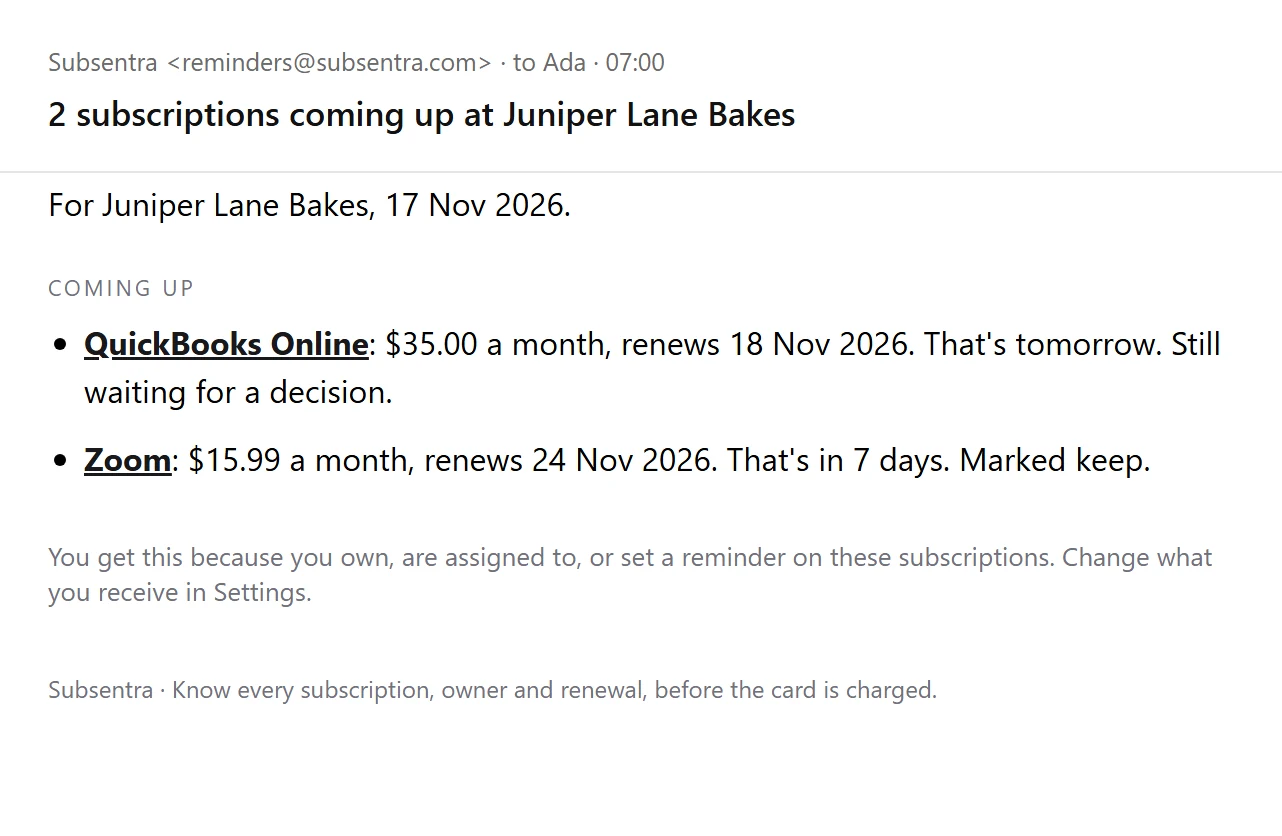
Owners get a short email before each renewal: 7 and 1 day ahead for monthly bills, 35, 7 and 1 for yearly ones, counting down to the cancel-by date when there's notice.
№ 03Reminders
The right nudge, then no surprises.
Monthly bills get a heads-up 7 days and 1 day ahead. Yearly ones get 35 days, so there's time to review before you're committed. Where there's a notice period, the countdown runs to the cancel-by date, because that's the one that matters.
- One digest per person per morning, never a flood
- “Remind me to cancel this” on any subscription, just for you
- A ready-to-send cancellation notice, drafted from your contract terms
- A last-day alert to owners if a cancellation is about to slip
- A Monday summary of the week's renewals and open decisions
- By email, and in your team's Slack or Microsoft Teams channel
AI review
Written this morning
You spend about $1,840 a month across 23 subscriptions. Two changes would save about $82 a month, one bill is higher than your record, and nobody owns the domain renewals.
- 01
Two tools doing the same job: video meetings
Both are paid monthly and both have an owner. One of them can cover the whole team.
Cancel onesaves ≈ $60 / mo
- 02
Pay yearly for three tools you've kept over a year
All three are marked keep. Yearly billing is usually around 15% cheaper.
Switch to yearlysaves ≈ $22 / mo
- 03
Cloud storage charged more than on record
Your statement shows $64 last month. The record says $50.
Check the bill
A question for the team
Who should own the four domain renewals due in March?
An example. Yours is written from your own list.
№ 04Sentra AI
An adviser that reads the whole list.
Reminders tell you a renewal is coming. Sentra AI tells you what to do about it. It reads every subscription together and writes a short review your team can act on, refreshed every week and whenever you ask.
- A plain-English briefing of where the money goes
- Numbered recommendations, each with the reason and the saving
- Spots two tools doing the same job, and bills higher than your record
- Questions to put to your team before anything is cut
- One click to mark a subscription for review
- Advice only: nothing is cancelled or changed without you
- Your team appear to the AI as numbers, never names or emails
Ask Sentra
Ask it anything about what you pay for.
No reports to build and no filters to learn. Type a question the way you would ask a colleague, and Sentra answers from your own list, with the names, the amounts and the dates.
- Add by typing
- Write “Canva Pro, £10.99 a month, renews on the 3rd” and the form fills itself in. You check it and save.
- Price rise alerts
- When a statement shows more than the amount on record, Sentra flags it, so a quiet increase never slips through.
- A better price, drafted
- One click writes the message asking your supplier for a discount, built from your plan, price and renewal date.
Ask Sentra
Example
You ask
What renews in the next 30 days?
Six subscriptions renew in the next 30 days, about $310 in total.
- QuickBooks Online, $35.00, tomorrow
- OpenAI API, about $60.00, in 3 days
- Zoom, $15.99, in 6 days
Three more follow later in the month. QuickBooks is the one to look at today.
Made-up figures. In your account, answers come from your own list.
№ 05What's inside
One clear list, not another spreadsheet.
A spreadsheet waits for you to open it. Subsentra emails the right person before each renewal, checks your list against your card statement, and keeps a record of every decision.
Every line stamped
Cost, billing cycle, renewal date, notice period, owner and assigned person, plus a keep, review or cancel decision.
Every recurring cost
Software, phone and internet, insurance, leases, memberships, service contracts. If it renews, it belongs in Subsentra.
Know what AI costs you
Chat assistants, coding tools and pay-as-you-go API accounts on one page, with a total, an owner for each and a flag when two do the same job.
One currency to read
Dollar apps, euro tools and pound bills, totalled in your home currency with the original alongside.
Statement check
Upload a card CSV and see three piles: matched, paying but not listed, listed but not seen.
Roles, not per-seat pricing
Owners, admins, members and read-only viewers. Each plan includes a set number of people, 3, 10 or 50, with no per-seat charge.
Export and activity log
Download a spreadsheet-safe CSV any time, and see who changed what, and when.
№ 06 · The fine print
What you pay for says a lot about your business. We treat it that way.
The rules are in writing, in a data processing agreement you can read before you sign up.
Read the agreement- 01
Walled off by business
Database rules let each person see only their own business's rows. Automated tests try to read, add, change and delete across businesses.
- 02
Two-step sign-in
An emailed code every time, plus an authenticator app as a second step for accounts that turn it on. Your data does not load until sign-in is complete.
- 03
Statements kept to a minimum
Statement files are checked in your browser. Money coming in is never uploaded. We keep only the lines that look like subscriptions.
- 04
AI on a short lead
The AI reader is opt-in, one document at a time, and we don't keep the file. The AI review sees your list with people as numbers, never names or emails. Neither changes anything until you confirm.
- 05
Encrypted and backed up
Encrypted in transit and at rest, daily backups, plus a separate encrypted weekly copy.
- 06
Every change written down
An activity log records who changed what. Nobody can edit it, including us from the app.
№ 07Pricing
Priced by team, not by seat.
Tell us roughly how big you are and we'll point at the plan that fits. Every plan starts with a 14-day Team trial.
You fit
Starter
Starter
Fits youFor a founder keeping things tidy.
$10/ month
or $100 a year, two months free
3 users · 40 subscriptions
Start free trial- Up to 3 people
- Up to 40 subscriptions
- Every feature, nothing held back
- Sentra AI: Ask Sentra, Insights, the reader and drafts
- Support by email
Team
For a growing team with an owner for every tool.
$24/ month
or $240 a year, two months free
10 users · unlimited subscriptions
Start free trial- Up to 10 people
- Unlimited subscriptions
- Every feature, nothing held back
- Sentra AI: Ask Sentra, Insights, the reader and drafts
- Support by email
Business
For several cards, locations and departments.
$49/ month
or $490 a year, two months free
50 users · unlimited subscriptions
Start free trial- Up to 50 people
- Unlimited subscriptions
- Every feature, nothing held back
- Sentra AI: Ask Sentra, Insights, the reader and drafts
- Priority support: your messages are answered first
Want it done for you? A one-off set-up audit is $79. Compare every feature →
№ 08FAQ
Fair questions.
Something else? hello@subsentra.com
Q.01What does Subsentra cost?
Q.02What can I track?
Q.03I sell on Shopify. Can it read my app charges?
Q.04How does the AI reader work?
Q.05What is AI Insights?
Q.06Do you connect to my bank?
Q.07Who on my team gets reminders?
Q.08What happens when the trial ends?
Subsentra · Team trial
See every renewal coming.
Set up in about 40 minutes. Cancel any time.